


Flux Wiki
A documentation wiki inside WordPress, written in Markdown and easy to read for people and AI tools.
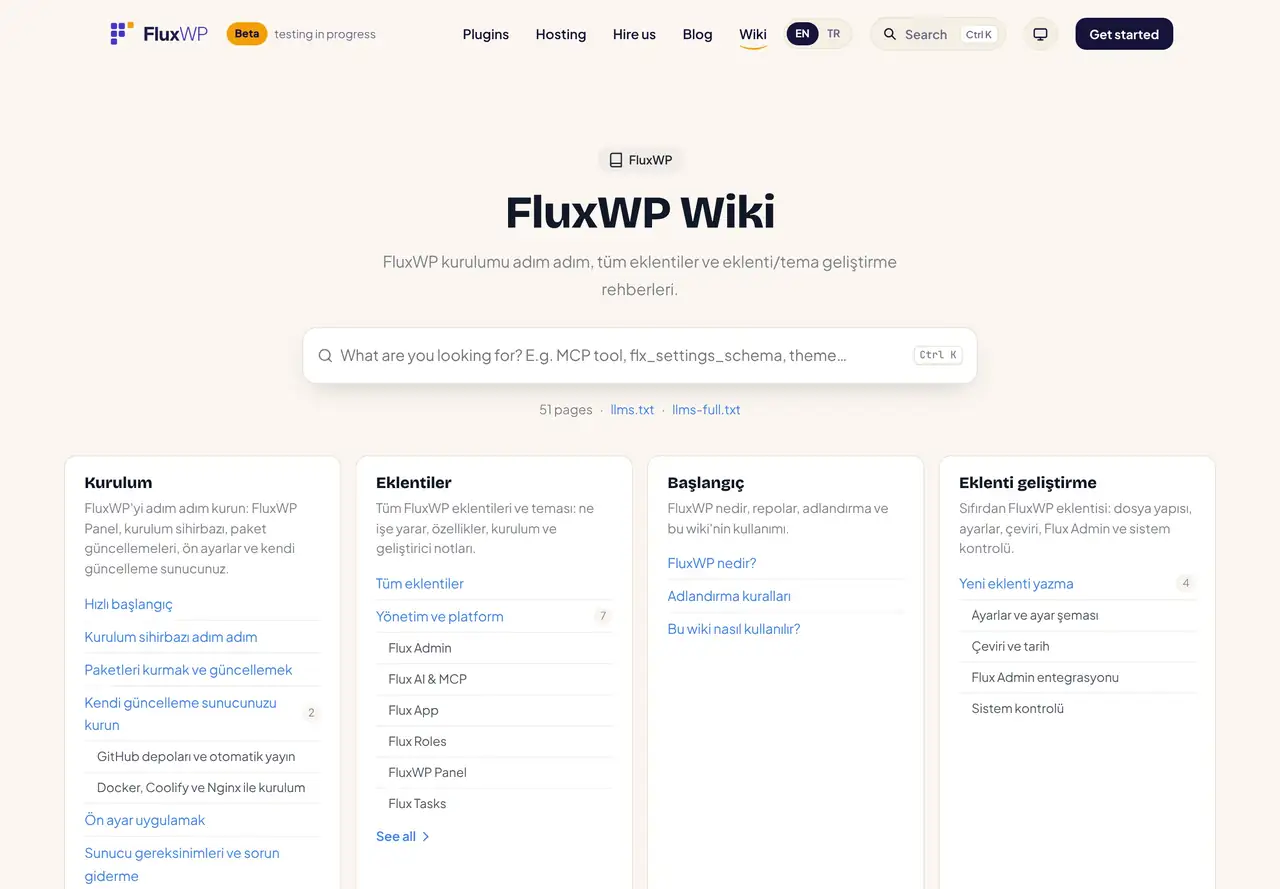
Flux Wiki adds a wiki at /wiki: Markdown pages grouped into sections, a page tree, a table of contents and instant search. Every page is also served as Markdown and listed in llms.txt, so ChatGPT, Claude and other AI tools can read your docs as they are.
- Free and open source (GPL)
- WordPress 6.4+ · PHP 7.4+
- English & Turkish
- Content & growth
Why Flux Wiki?
Product docs usually live somewhere else: a separate docs tool, a Git repository or a page builder that nobody likes editing. Flux Wiki keeps them on your own site, in plain Markdown:
-
Markdown first
Write / Preview / Side-by-side editor,
[[wiki links]], note boxes, task lists and copyable code blocks. -
Search that finds the heading
Ranked by title, headings and text, Turkish characters folded (ı = i, ş = s); results jump to the best matching heading.
-
Ready for AI tools
Every page at
/wiki/<path>.md, plus/wiki/llms.txtand/wiki/llms-full.txt; “Copy Markdown” and “Ask AI” on every page. -
Ask the wiki
With Flux AI, questions are answered only from your wiki pages, with the sources listed.
-
SEO built in
TechArticle and BreadcrumbList schema, meta description, canonical and sitemap; search result pages are noindex.
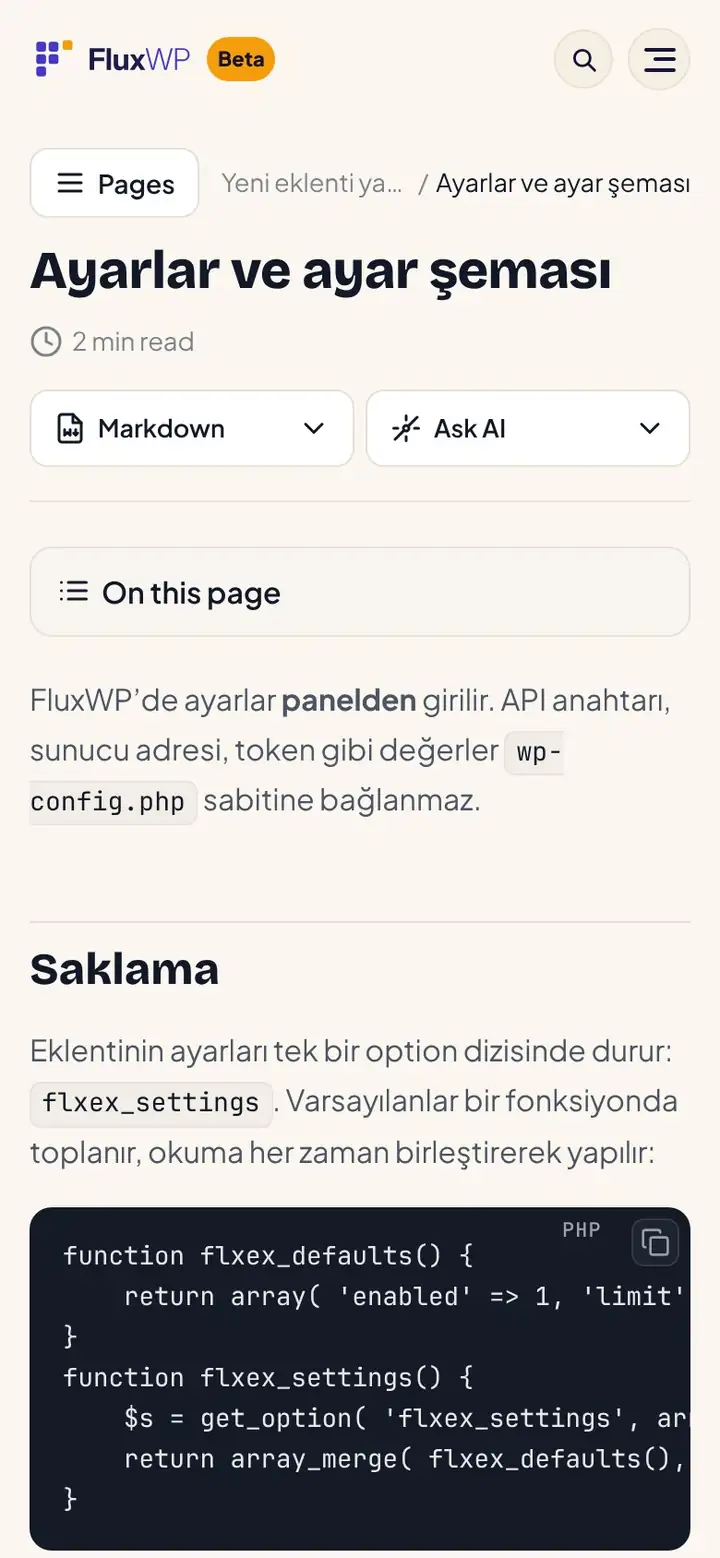
Flux Wiki screenshots
Real screens from the demo site. Click to enlarge.
Flux Wiki features
WordPress documentation and knowledge base plugin
Writing
- Markdown (GitHub flavour) with a Write / Preview / Side-by-side editor,
[[wiki links]], callouts, task lists and code blocks with a copy button. - Sections and a page tree; each page gets a table of contents from its headings.
- Uses the active theme’s header, footer and colours, and follows FluxWP dark mode.
Search
- Instant search with Ctrl/⌘ + K, ranked by title, headings and text.
- Works without JavaScript at
/wiki/?q=; REST endpoint for apps.
For AI tools
- Markdown copy of every page,
llms.txt,llms-full.txtandindex.md. - “Ask the wiki” with Flux AI and MCP tools to search, read and save pages.
SEO
- TechArticle and BreadcrumbList structured data, merged into Flux SEO‘s graph when it is active.
- Meta description, canonical, core sitemap; search result pages are not indexed.
Up and running in a few minutes
- In Flux Setup › Packages, press Install on the Flux Wiki row.
- Open Wiki in the admin menu and add a section, then your first page in Markdown.
- Visit
/wikion your site; the search box and the page tree are ready.
Requirements: Optional: Flux AI for “Ask the wiki” and MCP tools, Flux SEO for llms.txt and schema.
Frequently asked questions
Didn't find your answer? Write to us. hello@fluxwp.com
Is Flux Wiki free?
Yes. Flux Wiki is free and open source (GPL-2.0-or-later). There is no licence key and nothing is locked; the source code is on GitHub.
How do I install Flux Wiki?
Install Flux Setup, then press Install on the Flux Wiki row under Flux Setup › Packages. Updates arrive in the standard WordPress Updates screen.
What does Flux Wiki need?
WordPress 6.4 or later and PHP 7.4 or later. Shared hosting is enough. Optional: Flux AI for "Ask the wiki" and MCP tools, Flux SEO for llms.txt and schema.
Does Flux Wiki work with other plugins?
Flux Wiki works on its own. Installed with other FluxWP plugins it shares the same panel, roles, colours and AI settings, for example with Flux AI, Flux SEO, and Flux Analytics.
Is Flux Wiki available in Turkish?
Yes. The interface follows the site language: English and Turkish are included, and other languages can be added with a translation file.
Works well with Flux Wiki
One panel, one look, one settings screen. Add more as you need them.
-

Flux AI
Admin & platformAI for WordPress in one hub: OpenRouter and Anthropic keys, model catalog, budgets and prompt cache for every plugin.
Details -
Flux SEO
Content & growthWordPress SEO plugin: meta titles and descriptions, canonical, Open Graph, schema, XML sitemap, IndexNow and an SEO check for every page.
Details -
Flux Analytics
Content & growthCookie-free analytics, a privacy-friendly Google Analytics alternative: visitors, top pages, referrers, devices and campaigns.
Details



Start with one plugin. Grow into the whole toolkit.
Install open source FluxWP on your own server for free, or let us host and set it up for you.