


Flux Chat
A WhatsApp inbox inside WordPress, with an AI assistant that takes donations.
Flux Chat shows every chat of your WhatsApp line live in the admin: incoming and outgoing messages, ones written on the phone and certificate messages. The team answers with quick replies, labels, assignment and internal notes; donations (Flux Donate) and certificates (Flux Certificates) are recorded from the chat, and an AI assistant can talk to donors, read bank receipts and hand off to a person when needed.
- Free and open source (GPL)
- WordPress 6.4+ · PHP 7.4+
- English & Turkish
- Communication
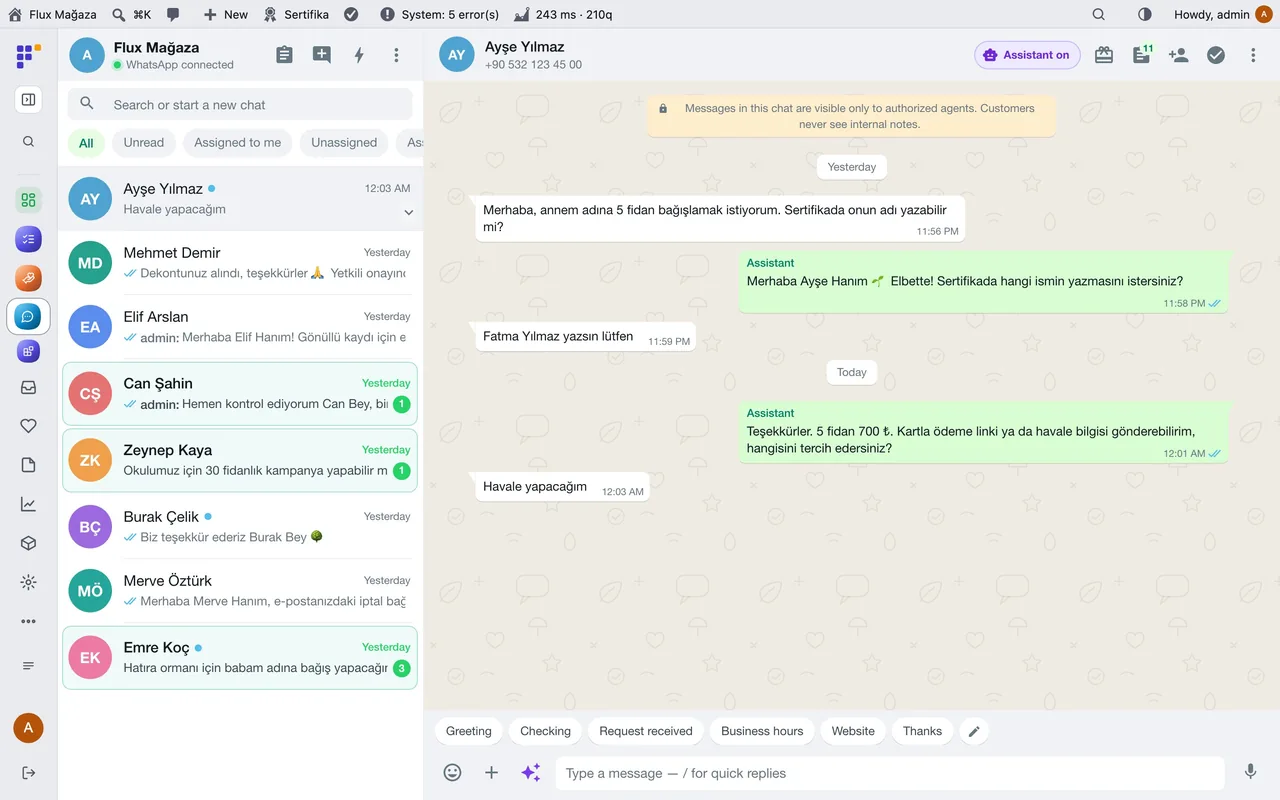
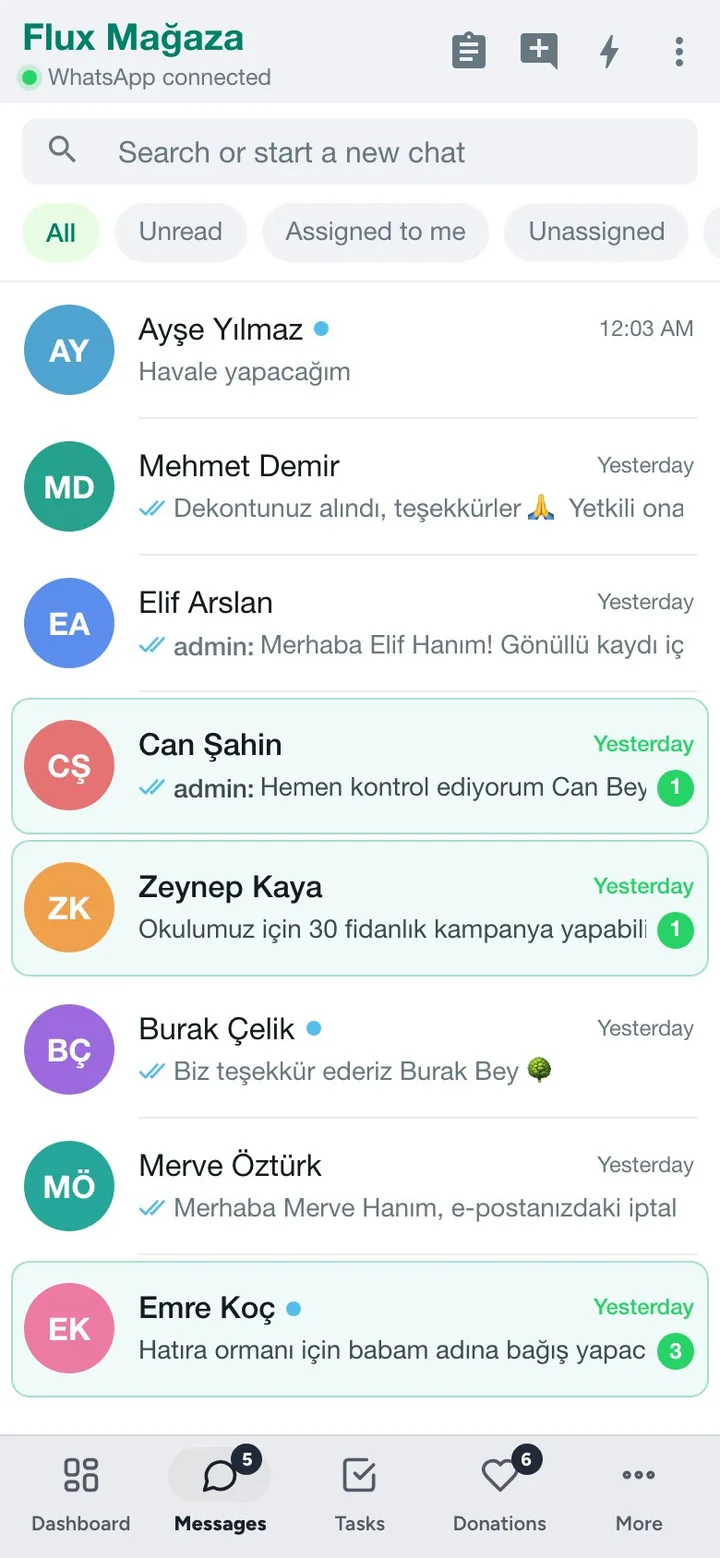
Flux Chat in action
The real plugin, real screens. A short tour.
Why Flux Chat?
A charity’s busiest channel is WhatsApp on one phone: “How do I donate?”, “Here is my receipt”, “Can the certificate say my mother’s name?”. On a phone the team can’t share it, nothing is linked to the donation, and evenings and weekends go unanswered. Flux Chat moves the line into WordPress:
-
Shared inbox
Everyone with access sees the same chats live, assigns them, labels them, leaves internal notes the donor never sees.
-
Donations from the chat
Open a donation, send a payment link or the IBAN, match the receipt, create and send the certificate, without leaving the conversation.
-
An assistant that knows the rules
It answers questions, takes the order, writes the names for the certificates, reads the receipt, and says “an authorised person will approve it” instead of promising. Anything it can’t do goes to the team.
-
Reports to WhatsApp
Daily or weekly donation summaries to staff and managers, with a motivating line at the end.
Flux Chat screenshots
Real screens from the demo site. Click to enlarge.
Flux Chat features
WhatsApp team inbox for WordPress and WooCommerce
Inbox
- Live chat list with unread, assigned to me and unassigned filters; search or start a new chat; several lines (one per branch).
- Quick replies (type
/), labels, assignment, internal notes, reminders, auto replies and office hours. - Photos, voice messages, documents, contact cards, replies and reactions; old messages are paged in from Evolution.
- Contact panel: donations, certificates, consents, memory and a short AI summary of the chat. Block list for people who don’t want messages.
- Works on mobile and in the Flux App as a native WhatsApp screen.
Donations and certificates
- Open a donation from the chat (one donation, one payment, a certificate per name), send a payment link or bank details, cancel an unpaid one with confirmation.
- Receipts sent on WhatsApp are read and matched to the donation, with a warning if a receipt was used before; approval stays with an authorised person.
- Create a certificate in the chat and send it; the person it is for and the referring staff member get theirs too.
AI assistant (through Flux AI)
- AI assistant page: activity summary (spend, questions, donations, receipts, hand-offs), the chats it handled, instructions with versions, documents, Edit with AI, a test chat with files and a tool-call log, a benchmark with scenarios and a judge, memory and background jobs.
- Reply suggestions for agents, voice-to-text, chat summaries, images in answers when a renderer is available.
- Staff tools: staff recognised by their Flux Roles number can open donations for donors, resend certificates and ask for reports.
Reports
- WhatsApp reports: scheduled donation reports for staff (their own) and managers (totals per staff), daily, weekly or monthly, with a preview and “Send me a test”.
Up and running in a few minutes
- In Communication › Connections (Flux Mail) add the WhatsApp number and connect it.
- Call Center › Settings › Connections: pick that line, Test connection, then Set up webhook; optionally Import recent chats.
- Add quick replies and labels under Settings, and turn on the assistant under Settings › AI and assistant once Flux AI has a key.
- Open Call Center › Chats and answer the first message.
Requirements: A WhatsApp line through Flux Mail (Evolution API 2.3+, Flux WPAPI or Cloud API). Optional: Flux Donate and Flux Certificates (donations and certificates from the chat), Flux AI (assistant and suggestions), Flux Roles (staff), Flux App.
Frequently asked questions
Didn't find your answer? Write to us. hello@fluxwp.com
Is Flux Chat free?
Yes. Flux Chat is free and open source (GPL-2.0-or-later). There is no licence key and nothing is locked; the source code is on GitHub.
How do I install Flux Chat?
Install Flux Setup, then press Install on the Flux Chat row under Flux Setup › Packages. Updates arrive in the standard WordPress Updates screen.
What does Flux Chat need?
WordPress 6.4 or later and PHP 7.4 or later. Shared hosting is enough. A WhatsApp line through Flux Mail (Evolution API 2.3+, Flux WPAPI or Cloud API). Optional: Flux Donate and Flux Certificates (donations and certificates from the chat), Flux AI (assistant and suggestions), Flux Roles (staff), Flux App.
Does Flux Chat work with other plugins?
Flux Chat works on its own. Installed with other FluxWP plugins it shares the same panel, roles, colours and AI settings, for example with Flux Roles, Flux App, and Flux AI.
Is Flux Chat available in Turkish?
Yes. The interface follows the site language: English and Turkish are included, and other languages can be added with a translation file.
Works well with Flux Chat
One panel, one look, one settings screen. Add more as you need them.
-

Flux Roles
Admin & platformStaff, manager and admin roles with per-module access you can change from the panel.
Details -
Flux App
Admin & platformSign in from the desktop and mobile apps with OAuth, API keys and MCP for AI clients.
Details -
Flux AI
Admin & platformAI for WordPress in one hub: OpenRouter and Anthropic keys, model catalog, budgets and prompt cache for every plugin.
Details



Start with one plugin. Grow into the whole toolkit.
Install open source FluxWP on your own server for free, or let us host and set it up for you.