


Flux Roles
Give staff and volunteers exactly the access they need, from one page.
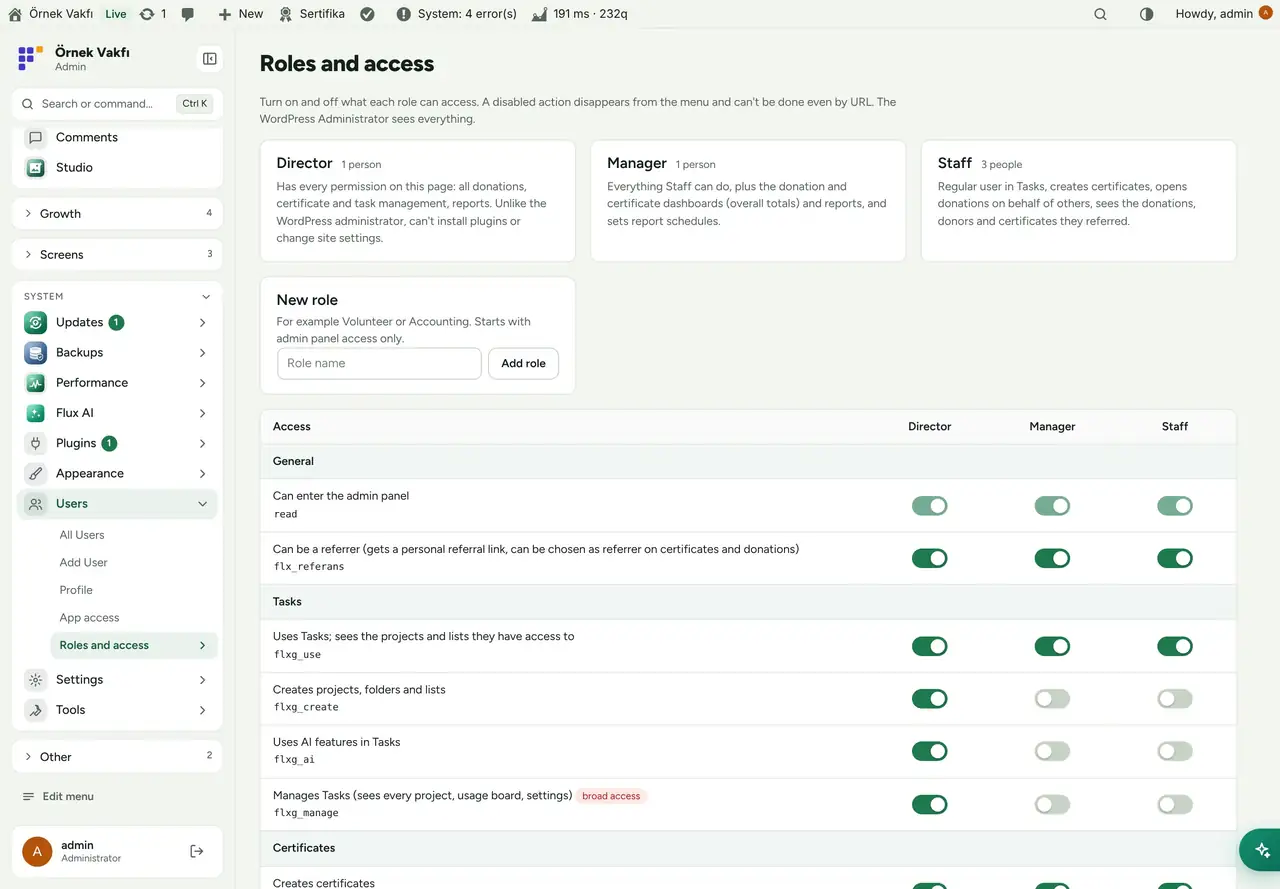
Flux Roles adds Staff, Manager and Director roles (and any role you create in the panel), and lets you switch each role’s access to tasks, certificates, donations, the call center, the studio and reports on or off with a toggle. It also manages personal referral links and the phone numbers the WhatsApp assistant uses to recognise staff.
- Free and open source (GPL)
- WordPress 6.4+ · PHP 7.4+
- English & Turkish
- Admin & platform
Flux Roles in action
The real plugin, real screens. A short tour.
Why Flux Roles?
WordPress roles are built for blogs: Editor, Author, Contributor. A foundation needs “this volunteer can create certificates and see the donations they referred, but nothing else”. Flux Roles turns that into toggles:
-
One table, real permissions
Each row is a real WordPress capability. Switching it off removes the menu and blocks the address.
-
Roles that match the organisation
Staff, Manager and Director, plus any role you add (Volunteer, Accounting…).
-
Personal referral links
for everyone who may refer donors; donations through the link are credited to them.
-
WhatsApp-aware
a staff member’s phone number lets the call-center assistant recognise them and act within their role.
-
Grows with the other packages
new FluxWP packages register their capabilities here automatically.
Flux Roles screenshots
Real screens from the demo site. Click to enlarge.
Flux Roles features
WordPress user roles and permissions plugin
Roles
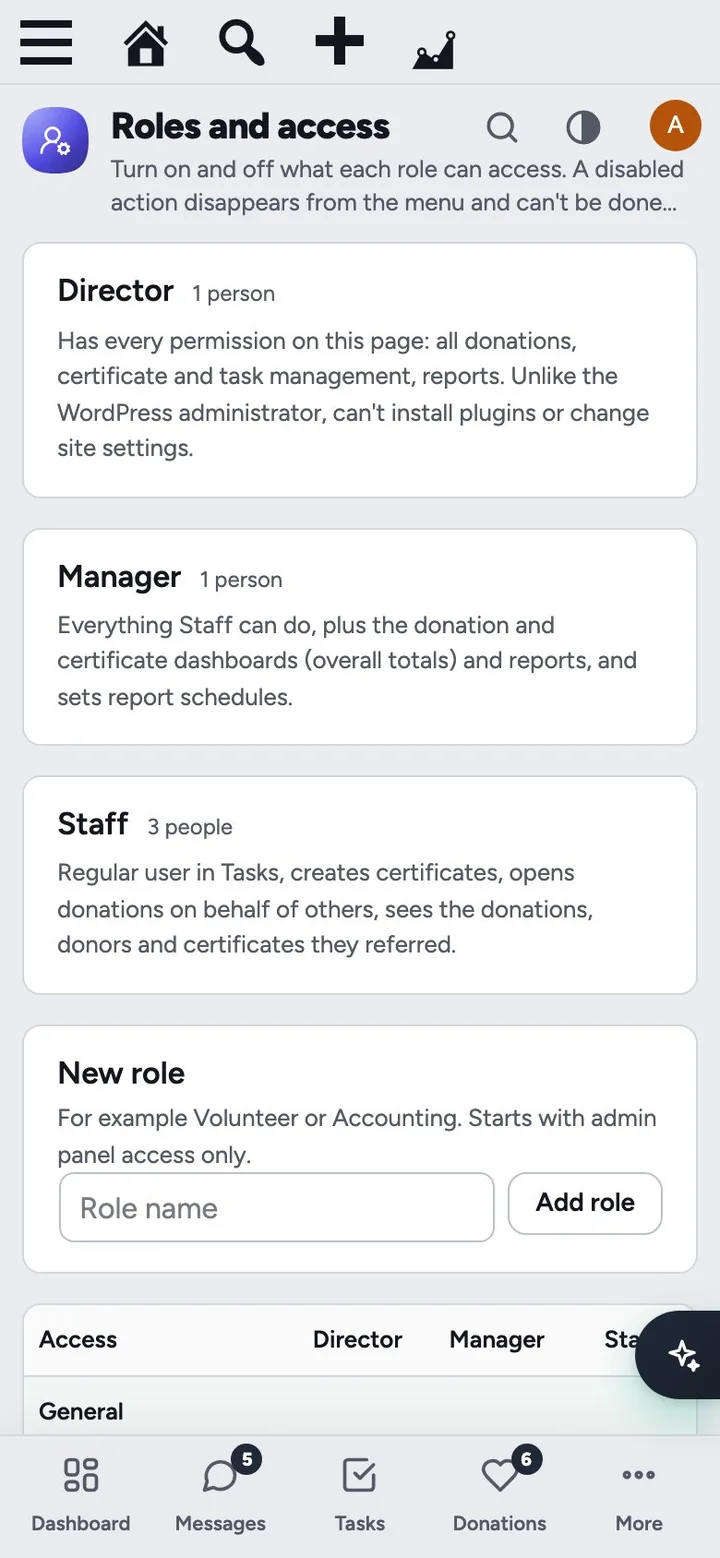
- Staff (everyday work), Manager (Staff plus the donation and certificate dashboards and reports) and Director (every permission on the page, but not a WordPress administrator: cannot install plugins or change site settings).
- Add a new role from the panel; it starts with admin access only and you switch on what it needs. Roles created here can be deleted.
- “Reset to defaults” per role.
Access table
- Grouped by package: General, Tasks, Certificates, Donations, Call Center, Studio, Reports.
- Packages that aren’t installed show a “not installed” badge; settings are kept and apply as soon as the package arrives.
- Choose the screen each role lands on after login (or let it pick the first available).
People and referrals
- Add or remove people per role by username or e-mail.
- Personal referral link (
?ref=code) with a copy button on the profile and in the people list; the last clicked link wins and lasts 30 days (configurable). The referrer is written to the WooCommerce order. - Phone number per user (admins only) for the WhatsApp assistant in Flux Chat.
Up and running in a few minutes
- Users › Roles and access opens with the roles ready and default permissions set.
- Add people: create the user under Users › Add New and choose Staff/Manager, or type an existing username in People › Add.
- Switch rows on or off and press Save.
Frequently asked questions
Didn't find your answer? Write to us. hello@fluxwp.com
Is Flux Roles free?
Yes. Flux Roles is free and open source (GPL-2.0-or-later). There is no licence key and nothing is locked; the source code is on GitHub.
How do I install Flux Roles?
Install Flux Setup, then press Install on the Flux Roles row under Flux Setup › Packages. Updates arrive in the standard WordPress Updates screen.
What does Flux Roles need?
WordPress 6.4 or later and PHP 7.4 or later. Shared hosting is enough.
Does Flux Roles work with other plugins?
Flux Roles works on its own. Installed with other FluxWP plugins it shares the same panel, roles, colours and AI settings, for example with Flux Chat, Flux Setup, and Flux Admin.
Is Flux Roles available in Turkish?
Yes. The interface follows the site language: English and Turkish are included, and other languages can be added with a translation file.
Works well with Flux Roles
One panel, one look, one settings screen. Add more as you need them.
-

Flux Chat
CommunicationWhatsApp for WordPress and WooCommerce: a shared team inbox, quick replies, tags, assignment and AI suggestions.
Details -
Flux Setup
Admin & platformSet up a whole site in one step: plugins, look and starter pages from a preset, with a guided wizard.
Details -
Flux Admin
Admin & platformA redesigned WordPress admin: role-based menu, mobile bottom bar and a command palette.
Details



Start with one plugin. Grow into the whole toolkit.
Install open source FluxWP on your own server for free, or let us host and set it up for you.