


Flux Certificates
A personal certificate, a share link and a PDF for every donation, attendance or achievement.
Flux Certificates creates donation certificates, e-cards, participation and achievement documents from your own designs, gives each one a verified page with a PDF and a share image, and sends it by WhatsApp, SMS or e-mail. Events, referral staff and a live dashboard show where every certificate came from.
- Free and open source (GPL)
- WordPress 6.4+ · PHP 7.4+
- English & Turkish
- Commerce & giving
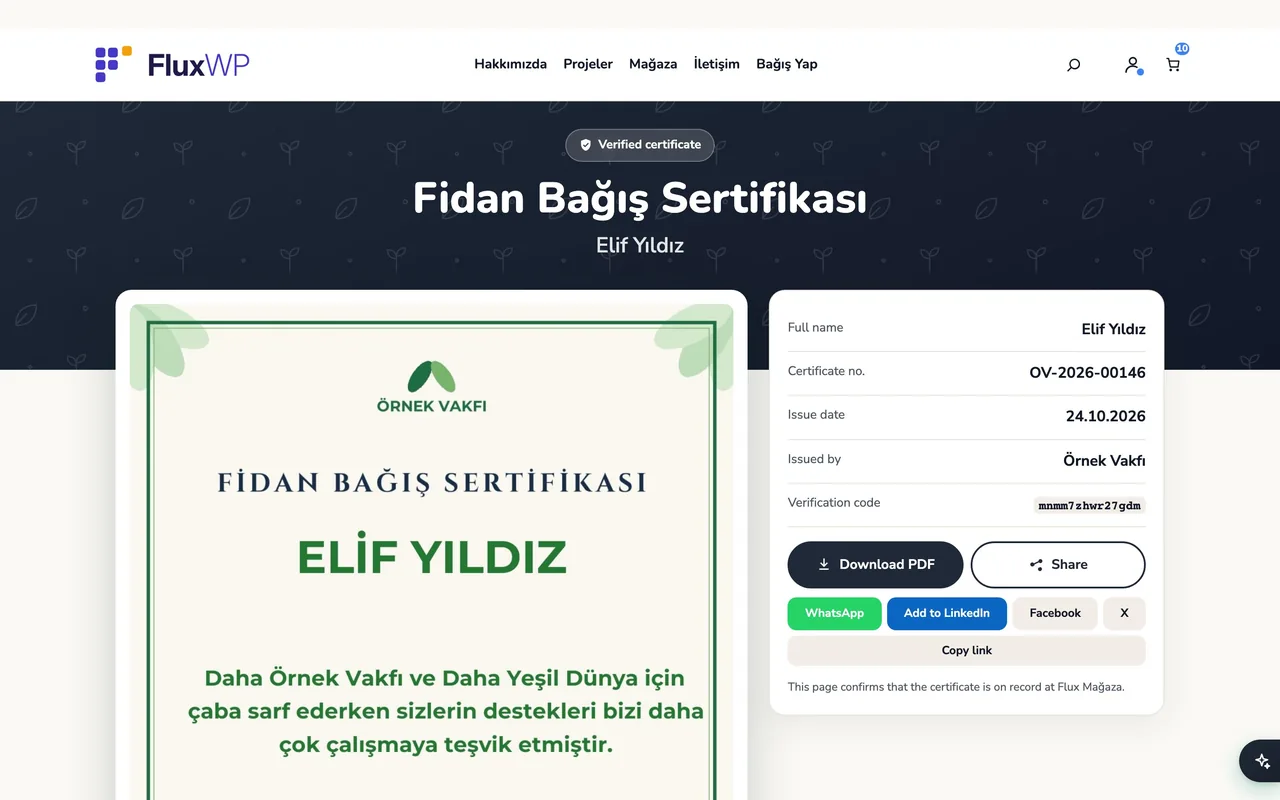
Flux Certificates in action
The real plugin, real screens. A short tour.
Why Flux Certificates?
A thank-you certificate is often the only thing a donor keeps, and the one thing they share. Making them by hand in Canva and sending them one by one doesn’t scale to an event with hundreds of people. Flux Certificates turns it into a list:
-
Type names, get certificates
One row per person (or paste a list); each gets their own certificate, link and PDF, with a live preview while you type.
-
A page people want to share
/sertifika/{code}shows the certificate with a “verified” badge, PDF download and WhatsApp, LinkedIn, Facebook and X buttons; the link preview shows the person’s own certificate. -
Your designs
Upload a PDF from Canva and place the fields on it; 3 certificate templates and 16 Örnek Vakfı e-cards come ready.
-
Events and targets
Collect donations and attendance per event (for example a campaign or a conference) with a target bar on the site.
-
Know who brought what
referral staff, templates, busiest days and delivery success on one dashboard.
Flux Certificates screenshots
Real screens from the demo site. Click to enlarge.
Flux Certificates features
WordPress certificate generator with PDF
Creating certificates
- New certificate: pick a template, add people row by row or Paste from list (
Name; phone; e-mail; quantity), set shared fields once, split a total quantity across people. Live PDF preview on the right. - People are recognised by phone (or e-mail) and never saved twice; phone numbers are accepted in any format and stored in one.
- Result screen: copy links, send with WhatsApp from your own phone, or download everything as one PDF.
- Back-dated certificates for reconciliation (admins only), referral staff per list.
Delivery
- WhatsApp, SMS and e-mail go through Flux Mail; messages are queued and retried after 1, 5, 15 and 30 minutes.
- Send to someone else from the result screen or the list (several recipients, address book suggestions).
- Bulk send with a preview of how many people it reaches; message texts with
{name},{link}placeholders.
Certificate page
- Verified page with the certificate image, details, PDF download and share buttons; 1200×630 share image per certificate.
- PDF, image and share image are produced on the server (TCPDF + FPDI, PHP GD is enough) and, as a fallback, in the browser.
[flx_sertifika_sorgula]lookup form: visitors receive their link on their own registered phone or e-mail.
Templates
- PDF background (e.g. exported from Canva) with text, multi-line text, date, number, auto number, QR and fixed text fields you drag into place.
- Donor-selectable designs for the donation page (used by Flux Donate); JSON export/import between sites; extra fonts.
Events and reports
- Events with date, target, extra (certificate-less) quantities, location and a page on the site with a live counter; close and archive when done.
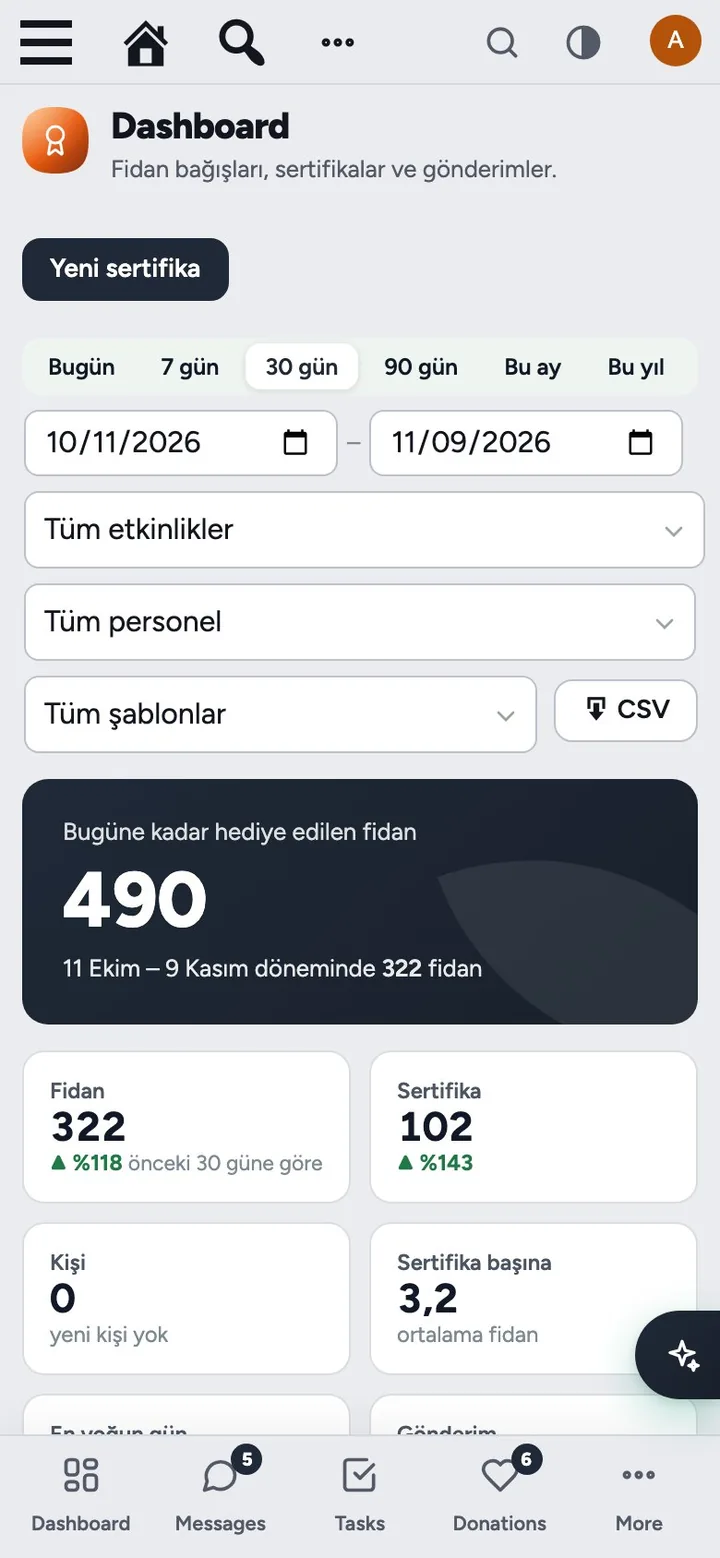
- Dashboard: total certificates issued, period figures compared with the previous period, daily/weekday charts, deliveries, referral staff and templates, top donors, CSV export. Excel export of the certificate list.
- Staff role that lands straight on New certificate; with Flux Roles, staff see only their own records.
Up and running in a few minutes
- Save Settings › Permalinks once so
/sertifika/{code}addresses work. - Certificates › Templates: the donation certificate is ready; activate the e-cards you want donors to choose from.
- Certificates › New certificate: pick a template, add a person and press Create.
Requirements: Pretty permalinks. For WhatsApp/SMS/e-mail delivery: Flux Mail.
Frequently asked questions
Didn't find your answer? Write to us. hello@fluxwp.com
Is Flux Certificates free?
Yes. Flux Certificates is free and open source (GPL-2.0-or-later). There is no licence key and nothing is locked; the source code is on GitHub.
How do I install Flux Certificates?
Install Flux Setup, then press Install on the Flux Certificates row under Flux Setup › Packages. Updates arrive in the standard WordPress Updates screen.
What does Flux Certificates need?
WordPress 6.4 or later and PHP 7.4 or later. Shared hosting is enough. Pretty permalinks. For WhatsApp/SMS/e-mail delivery: Flux Mail.
Does Flux Certificates work with other plugins?
Flux Certificates works on its own. Installed with other FluxWP plugins it shares the same panel, roles, colours and AI settings, for example with Flux Roles, Flux Mail, and Flux Donate.
Is Flux Certificates available in Turkish?
Yes. The interface follows the site language: English and Turkish are included, and other languages can be added with a translation file.
Works well with Flux Certificates
One panel, one look, one settings screen. Add more as you need them.
-

Flux Roles
Admin & platformStaff, manager and admin roles with per-module access you can change from the panel.
Details -
Flux Mail
CommunicationEvery site email in one place: SMTP, branded mobile-friendly templates and a mailbox.
Details -
Flux Donate
Commerce & givingDonation plugin on WooCommerce: donation types, bank transfer with receipt upload, monthly giving.
Details



Start with one plugin. Grow into the whole toolkit.
Install open source FluxWP on your own server for free, or let us host and set it up for you.