


Flux Social
Plan, approve and publish social media posts from WordPress.
Flux Social is a social media planner that runs inside the site: connect Facebook, Instagram, YouTube, X, LinkedIn, TikTok, Pinterest, Google Business and WhatsApp, write once with separate text per account, schedule on a calendar, send posts through approval, and see posts, engagement and followers on one dashboard. No Mixpost or Postiz server is needed.
- Free and open source (GPL)
- WordPress 6.4+ · PHP 7.4+
- English & Turkish
- Communication
Flux Social in action
The real plugin, real screens. A short tour.
Why Flux Social?
Self-hosted planners like Mixpost and Postiz need their own server, Redis and queue workers; shared hosting has none of them. SaaS planners put the charity’s accounts and drafts in someone else’s tool and charge per seat. Flux Social does the useful part inside WordPress:
-
One composer, every network
Common text with per-account overrides, character counters, media rules and a live preview for each network.
-
Approval built in
Volunteers prepare, a manager approves; permissions come from Flux Roles.
-
Numbers in one place
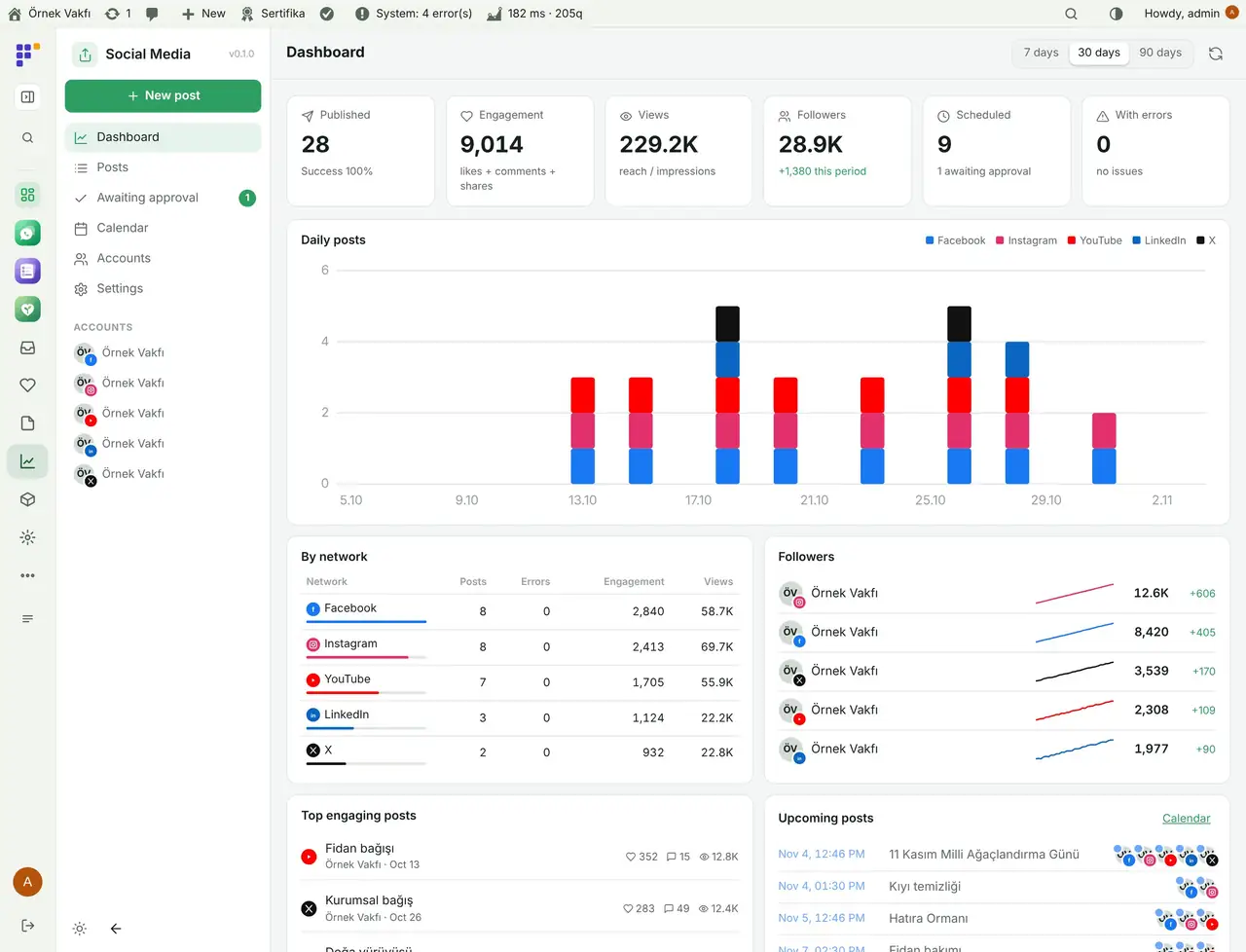
Daily posts per network, engagement, views, follower growth and the top posts.
-
⏱️ Works on shared hosting. An external trigger URL (cron-job.org) or the open panel sends scheduled posts; no workers needed.
-
AI where you write
Flux AI helps write and adapt text per network; assistants can plan posts through MCP.
Flux Social screenshots
Real screens from the demo site. Click to enlarge.
Flux Social features
Social media scheduler for WordPress
Writing and scheduling
- New post: pick accounts, write common text or separate text per account, add images or video from the media library or Flux Studio, signature, hashtags, link UTM.
- Live preview per network, character and media limits checked before publishing, Write with AI and Adapt to networks (Flux AI).
- Save draft, send for approval, schedule, share now; repeat a post after N days.
- Calendar: month and list view, drag and drop to move a post, filter by account.
Team and approval
- Awaiting approval list: posts by people without publishing permission wait for an approver.
- Permissions
flxsm_post,flxsm_publish,flxsm_managethrough Flux Roles; Only mine filter in the post list.
Dashboard and accounts
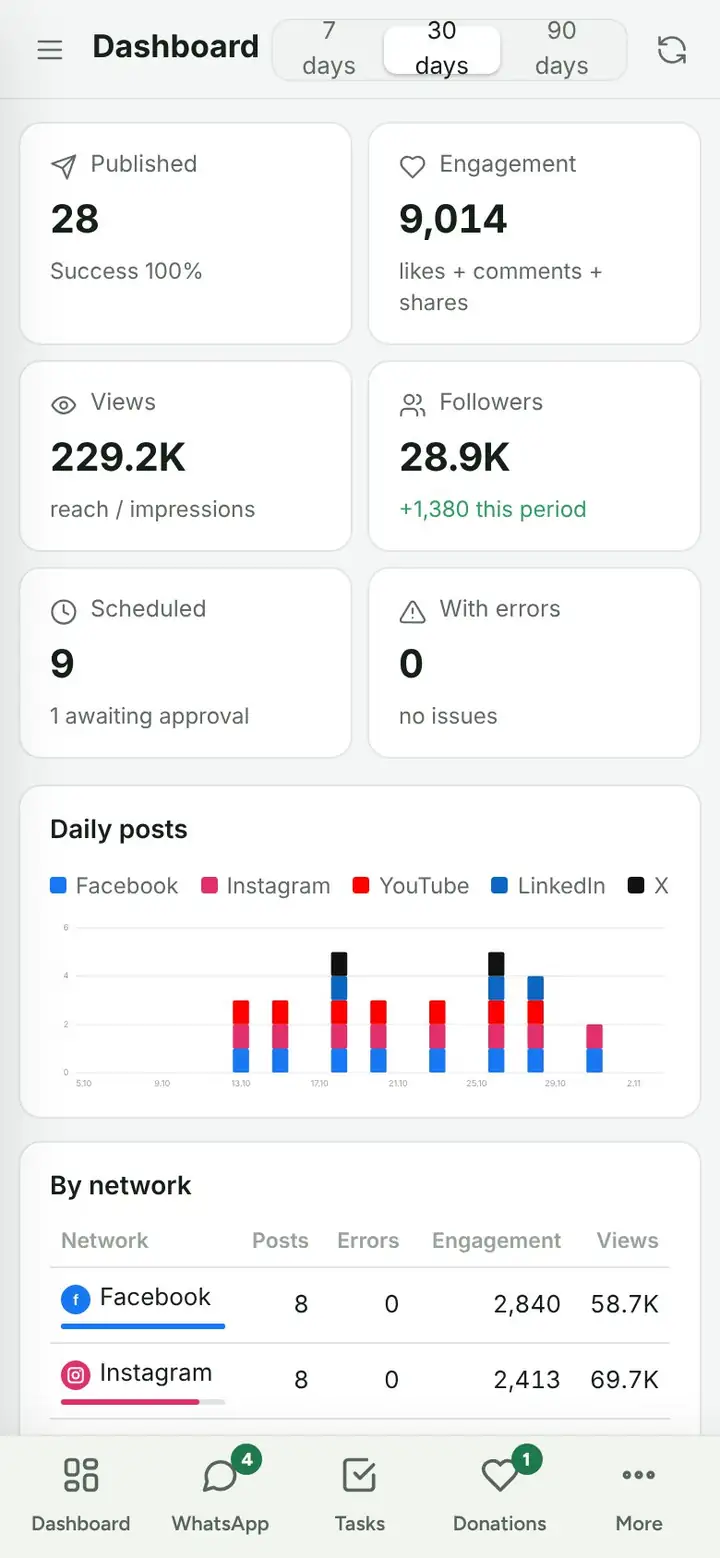
- Dashboard for 7, 30 or 90 days: published, engagement, views, followers, scheduled, errors; daily posts per network, per-network table, follower trends, top posts, upcoming posts.
- Accounts: Facebook pages, Instagram (with or without a Facebook page), YouTube, X, LinkedIn, TikTok, Pinterest, Google Business Profile, WhatsApp status and groups (via Flux Mail or Flux Chat).
- Edit or delete a published post on the network where the API allows it; metrics are fetched daily.
Settings
- App keys per network (stored encrypted), X tier and monthly limit, auto-sharing when a site post is published, external trigger URL, log.
Up and running in a few minutes
- Activate Flux Social; Social Media appears in the menu.
- Settings › General: copy the external trigger URL and add it to cron-job.org every minute.
- Settings › Apps: enter the keys for each network and add the shown redirect address to the developer app.
- Accounts › Connect account, pick the network, allow access and choose the page or channel.
- New post, pick accounts, write, then Schedule.
Requirements: PHP sodium and HTTPS. A developer app for each network you connect (Meta, Google, X, LinkedIn, TikTok, Pinterest). Optional: Flux AI (writing help), Flux Studio (images), Flux Mail or Flux Chat (WhatsApp), Flux Roles (permissions).
Frequently asked questions
Didn't find your answer? Write to us. hello@fluxwp.com
Is Flux Social free?
Yes. Flux Social is free and open source (GPL-2.0-or-later). There is no licence key and nothing is locked; the source code is on GitHub.
How do I install Flux Social?
Install Flux Setup, then press Install on the Flux Social row under Flux Setup › Packages. Updates arrive in the standard WordPress Updates screen.
What does Flux Social need?
WordPress 6.4 or later and PHP 7.4 or later. Shared hosting is enough. PHP sodium and HTTPS. A developer app for each network you connect (Meta, Google, X, LinkedIn, TikTok, Pinterest). Optional: Flux AI (writing help), Flux Studio (images), Flux Mail or Flux Chat (WhatsApp), Flux Roles (permissions).
Does Flux Social work with other plugins?
Flux Social works on its own. Installed with other FluxWP plugins it shares the same panel, roles, colours and AI settings, for example with Flux Roles, Flux AI, and Flux Chat.
Is Flux Social available in Turkish?
Yes. The interface follows the site language: English and Turkish are included, and other languages can be added with a translation file.
Works well with Flux Social
One panel, one look, one settings screen. Add more as you need them.
-

Flux Roles
Admin & platformStaff, manager and admin roles with per-module access you can change from the panel.
Details -
Flux AI
Admin & platformAI for WordPress in one hub: OpenRouter and Anthropic keys, model catalog, budgets and prompt cache for every plugin.
Details -
Flux Chat
CommunicationWhatsApp for WordPress and WooCommerce: a shared team inbox, quick replies, tags, assignment and AI suggestions.
Details



Start with one plugin. Grow into the whole toolkit.
Install open source FluxWP on your own server for free, or let us host and set it up for you.