


Flux Studio
An AI image and video studio inside WordPress, for the whole team, on one budget.
Flux Studio lets your team create images and videos with AI from the admin: write what you want, pick a model, add reference images or people, and generate. Results land in a shared gallery with folders, favourites and templates, and can go straight to the Media Library. Generation runs through Flux AI, so keys, costs and the spending limit stay in one place.
- Free and open source (GPL)
- WordPress 6.4+ · PHP 7.4+
- English & Turkish
- Content & growth
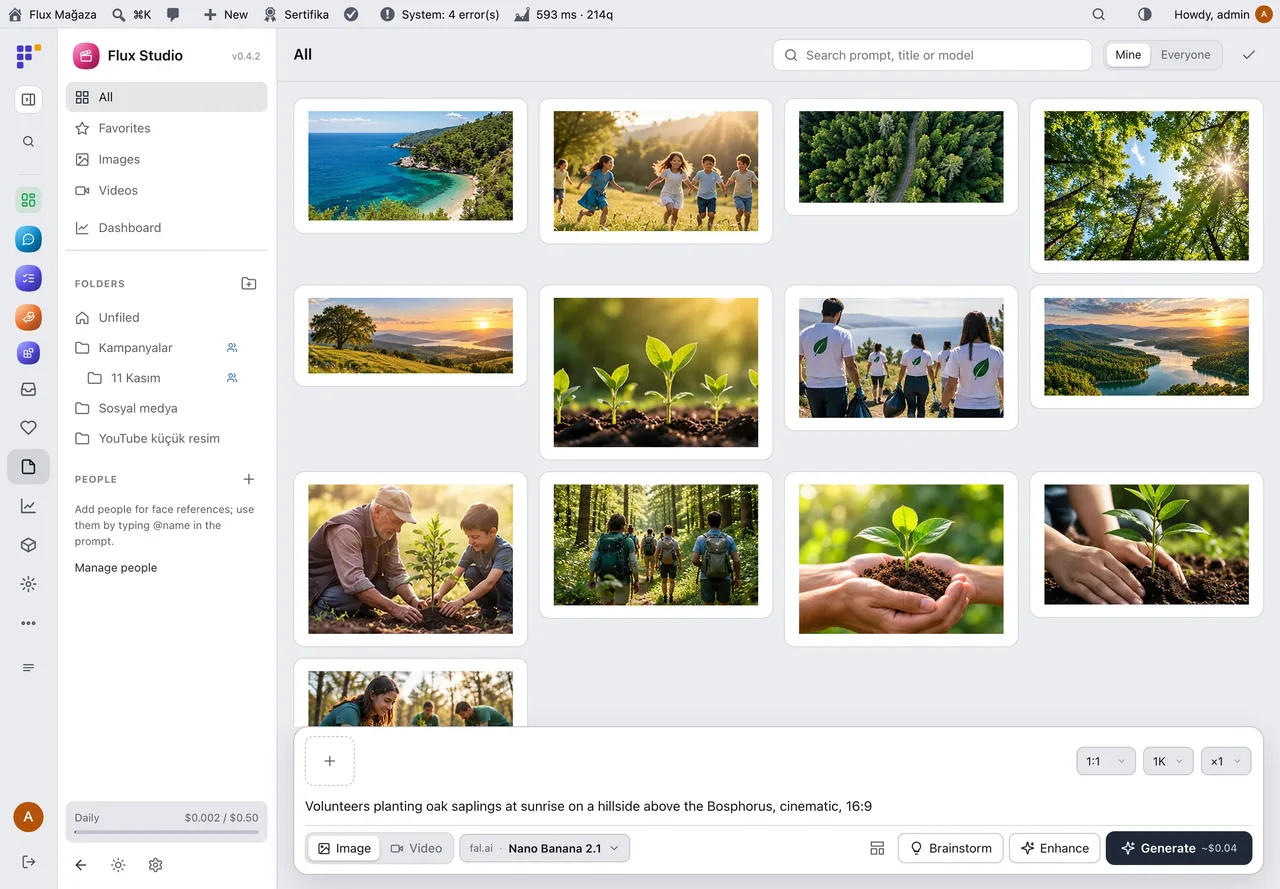
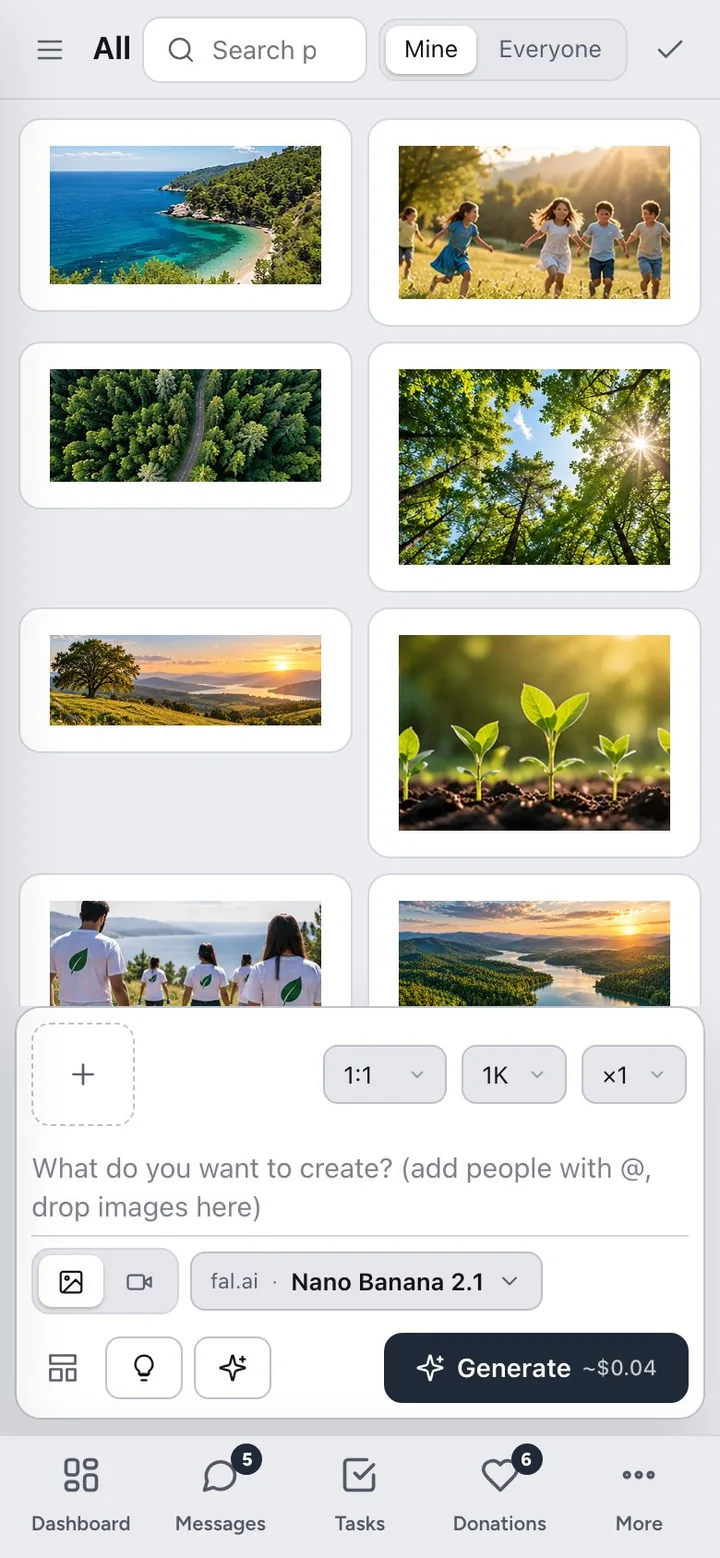
Flux Studio in action
The real plugin, real screens. A short tour.
Why Flux Studio?
Posters for an event, a header for a news post, a thumbnail for a video: a small team needs images every week, and every person ends up on a different AI site with a different card. Flux Studio brings it into WordPress:
-
One place for the team
Everyone with access generates in the same studio; shared folders and templates keep the style consistent.
-
One budget
Every generation goes through Flux AI and counts against its daily, weekly and monthly limit; the dashboard shows who spent what on which model.
-
Better prompts without effort
Enhance turns a rough idea into a detailed prompt for the chosen model; Brainstorm gives several directions to pick from.
-
Straight to the site
Add a result to the Media Library in one click and use it in posts, pages and campaigns.
Flux Studio screenshots
Real screens from the demo site. Click to enlarge.
Flux Studio features
AI image and video studio for WordPress
Create
- Images and videos; model picker by provider and model (fal.ai, EvoLink, OpenAI, Gemini, OpenRouter), aspect ratio, resolution, quality, count, duration and audio; estimated price on the button.
- References: upload, paste, drag or pick from the gallery; give each a role (style, product, background, person, first/last frame); save favourites.
- People: 1–8 face photos per person; type
@namein the prompt to use them as identity references. - Enhance and Brainstorm (2–8 prompts from one idea, general or YouTube thumbnail), generated in one go.
- Edit area: brush, rectangle and eraser mask; only the masked part changes; before/after slider.
- Instant queue: a “Queued” card appears at once, long jobs keep running when the page is closed.
Organise
- Gallery with a folder tree (subfolders, team sharing, drag to move), favourites, search, multi-select and infinite scroll.
- Viewer: download, reuse settings, use as reference, add to Media Library, move, delete.
- Templates: prompt, settings and references saved and shared with the team.
Manage
- Dashboard: generations, spend (image/video and text), average per generation, error rate, people and storage; daily charts; tables per model, provider and person; Flux AI limit and recent errors.
- Capabilities
flxst_useandflxst_manage, listed in Flux Roles; light and dark theme with Flux Admin; works on phones and as a native screen in the Flux App.
Up and running in a few minutes
- In Flux AI & MCP › Settings › Images and video enter a provider key.
- Activate Flux Studio; Studio appears in the admin menu.
- Give staff the Studio: generate capability in Flux Roles if they should use it.
- Write a prompt and press Generate (Ctrl/⌘+Enter).
Requirements: Flux AI 0.6.0+ with at least one image/video key (fal.ai or EvoLink recommended; OpenAI, Gemini or OpenRouter also work).
Frequently asked questions
Didn't find your answer? Write to us. hello@fluxwp.com
Is Flux Studio free?
Yes. Flux Studio is free and open source (GPL-2.0-or-later). There is no licence key and nothing is locked; the source code is on GitHub.
How do I install Flux Studio?
Install Flux Setup, then press Install on the Flux Studio row under Flux Setup › Packages. Updates arrive in the standard WordPress Updates screen.
What does Flux Studio need?
WordPress 6.4 or later and PHP 7.4 or later. Shared hosting is enough. Flux AI 0.6.0+ with at least one image/video key (fal.ai or EvoLink recommended; OpenAI, Gemini or OpenRouter also work).
Does Flux Studio work with other plugins?
Flux Studio works on its own. Installed with other FluxWP plugins it shares the same panel, roles, colours and AI settings, for example with Flux Admin, Flux Roles, and Flux App.
Is Flux Studio available in Turkish?
Yes. The interface follows the site language: English and Turkish are included, and other languages can be added with a translation file.
Works well with Flux Studio
One panel, one look, one settings screen. Add more as you need them.
-

Flux Admin
Admin & platformA redesigned WordPress admin: role-based menu, mobile bottom bar and a command palette.
Details -
Flux Roles
Admin & platformStaff, manager and admin roles with per-module access you can change from the panel.
Details -
Flux App
Admin & platformSign in from the desktop and mobile apps with OAuth, API keys and MCP for AI clients.
Details



Start with one plugin. Grow into the whole toolkit.
Install open source FluxWP on your own server for free, or let us host and set it up for you.